The software is working perfect! The action-offer was great and worth-wile! There ware some payment problems. Normally in Holland we mostly pay with iDEAL/WERO, but this time this payment-method was r... See more
Company replied

While we don't verify specific claims because reviewers' opinions are their own, we may label reviews as "Verified" when we can confirm a business interaction took place. Read more
To protect platform integrity, every review on our platform—verified or not—is screened by our 24/7 automated software. This technology is designed to identify and remove content that breaches our guidelines, including reviews that are not based on a genuine experience. We recognise we may not catch everything, and you can flag anything you think we may have missed. Read more
Created with AI, based on recent reviews
The software is working perfect! The action-offer was great and worth-wile! There ware some payment problems. Normally in Holland we mostly pay with iDEAL/WERO, but this time this payment-method was r... See more
Company replied
I very much like the software...BUT...there are some serious caveats. The learning curve is steep. The video instructive courses are good but assume too much knowledge (incredibly frustrating and us... See more
ON1 Photo Raw 2024 worked flawlessly. Then 2025 & 2026 upgrades came with some nice new additions, but Super Select AI & Generative Eraser stopped working. The newest update added Restore AI, which... See more

Quick access. Easy navigation. Logical layout. Products explained in depth. Good pricing. Attractive discounts. Pay once and use with no subscriptions required or pushed. One other company went subscr... See more
Company replied
Written by the company

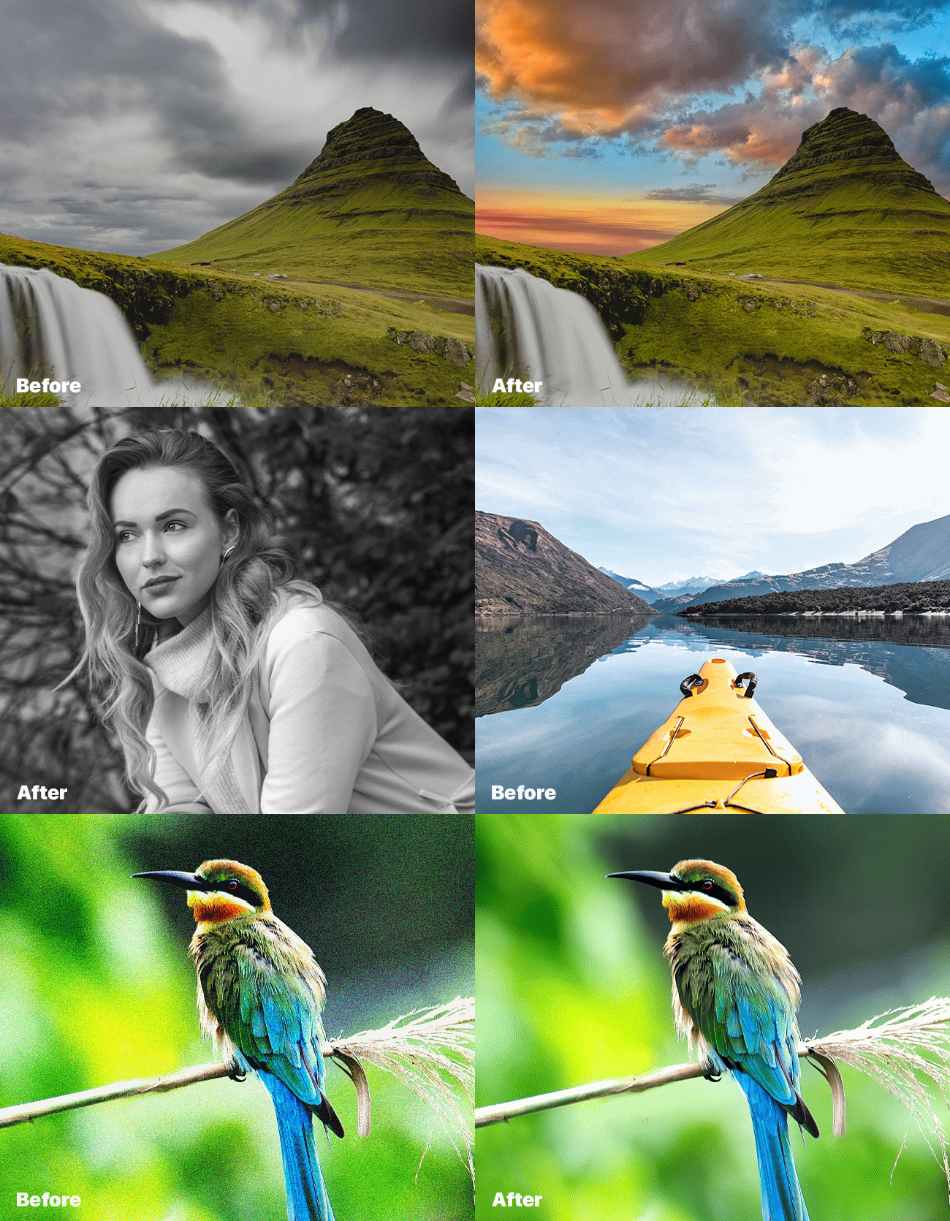
Get photo editing software for Mac and Windows from ON1. Our software offers everything photographers need to organize, edit, and share photos. Download our editing software for photographers at ON1.
ON1 is a leading provider of photo editing software for photographers. With a focus on ease of use and powerful AI-powered features, ON1 provides a complete photo editing solution for hobbyists, professionals, and everyone in between. The most popular ON1 application, ON1 Photo RAW, is the ultimate all-in-one photo editing application and raw photo editor. It’s like combining the best from Lightroom and Photoshop into a single application for photographers. This professional-grade AI-powered photo editor is a robust organizer, raw processor, layered editor, and photo effects app. Top it off with mobile and cloud integration, and photographers have a complete desktop and mobile workflow.
With the most incredible new AI-based technologies and features in years, ON1 offers photographers unique new approaches to how they edit, save time editing, and still achieve superior quality in their editing results.
No Risk, No Questions Asked

We care about your satisfaction. If you're unhappy with your software purchase within 30 days, we'll gladly refund you. For pre-orders, the refund period starts 30 days after the product's release.
For ON1 Everything subscriptions, you can receive a full refund if you cancel within 14 days of your order. After that, the payment is non-refundable, and your service will continue until the end of the term.
At ON1, we want you to have the best possible experience. If you're facing any issues with our photo editing software and have been in touch with our support team, we're here to help. Even if you're outside the 30 days, we can extend the money-back guarantee in these cases. Our dedicated team will work with you to resolve any problems quickly, so you can get back to photographing then editing your photos with ease.
PO Box 7626, 97303, Salem, United States
4.1
3K reviews
Asks customers to review
This company invites their customers to review, whether positive or negative
Replied to 90% of negative reviews
Typically replies within 2 weeks
How this company uses Trustpilot
See how their reviews and ratings are sourced, scored, and moderated.

I love OnOne however didn't find the new release to work for me. I wish I could have used it as a trial for a day or two but I didn't see where you could do that. Now I'm sorry I didn't explore that option further. I had emailed about it but didn't get a response. The RestoreAI didn't work for me because it changed the faces too much. It also made the eyes look different colors.
Excellent software, lots of tutorials, professional assistance, continuous upgrades, covers all my requirements that I used to do with Adobe Lightroom/Photoshop without monthly charges.
ON1 Photo Raw 2024 worked flawlessly. Then 2025 & 2026 upgrades came with some nice new additions, but Super Select AI & Generative Eraser stopped working. The newest update added Restore AI, which does wonders restoring photos. However, almost every photo with people, I have to use "face recovery" to get them back to looking like themselves & not strangers. It would be great if Resizing within Restore was optional. I would give it 5 stars if Super Select AI & Generative Eraser AI would work again on my PC.
I have been a long-time customer of ON1 software. To receive a major reduction for having served our military was a great motivator this year and I renew my membership.

I have been trying to get through to you, but you don't seem to get the message. I am continually bombarded with advertising about new stuff, upgrades, etc. I have told you more than once that I am not up to speed with technology and that I cannot make any sense of all the stuff that you keep on sending. In fact, I am basically stuck. I have mastered NONE of the skills required to exit my photo's. Yet you keep on selling me new stuff, stuff that I can appreciate the potentisl value of, but the piecemeal approach with which I receive tutorial material, drive me nuts. I actually regret spending money on your editing software. Please stop sending me stuff that you want to sell.
Have been On 1 user for a number of years. Excellent all in one alternative to Lightroom.
Recent versions of ON1 Photo RAW prioritize AI features at the major expense of performance and stability. The software has severe resource utilization issues as well as frequently lagging, stuttering, and crashing on capable hardware. Basic tasks like scrolling through images, rendering previews, and adding presets have pretty consistent speed and stability issues.
This is even more of an issue on any Intel GPU, which ON1 has yet to figure out how to support for basic photo editing capabilities. They do state that Intel GPUs aren't supported at all, if you dig into the recommended specs (not minimum). I've never heard of any other photo editor not supporting a certain GPU brand, but that makes sense when the software seemingly prioritizes AI above all else, as that's the only thing this software does that Intel GPUs struggle with.
With that said, the issues happen on hardware across the board. I have these issues on my XPS 16 2026 (Intel Panther Lake), my laptop with i9-12900HK and RTX 3070Ti, and my desktop with a 9950X3D2 and RTX 5080. I don't heavily use AI features, mainly just the basics, with some NoNoise AI or Brilliance AI from time to time.
I've owned ON1 2022, 2024, and 2026, and this will be my last version. I'd pay for a Lightroom subscription (about 6x what I pay on average now) before buying the next version, assuming they don't start prioritizing the program's ability to edit photos at reasonable speeds on reasonable hardware instead of prioritizing adding AI.
If you want software that doesn't slow you down, ON1 has become unusable.
I’ve had On1 software since ‘On1 10’, but I’ll honestly say I only ever used it for the resize capability. An Adobe user since the early 2000’s, I was extremely disgruntled with their recent subscription price hike and decided to take the plunge to RAW 2026 during their New Year sales. Having invested so much (financially and in training), I never thought I’d move away from Adobe, but to own editing software outright is becoming a rarity these days and that was the selling point for me. Sure, many say it’s not as intuitive as Photoshop, but I remember the very first time I opened PS (many moons ago), I didn’t know where to start with my edit. PS was never, and still isn’t, intuitive to a new user. Yes, On1 is a learning curve, having more tabs and windows than I’m certainly used to, but for any new user (especially those new to editing) opening the ‘effects’ feature alone provides instant results. Pros may (or may not) find some of them a bit gimmicky, it’s subjective. Personally, I think there are many things to like about On1, you just have to be prepared to put in the groundwork to ‘fully’ understand the programs capability. There are plenty of video tutorials to help get you started and it definitely gets easier once you get the hang of it (seems you can teach an old dog new tricks). It does have limitations with previously edited layered PSD files and if you only shoot jpg most, but not all, editing features are accessible (important note for new shooters following along with the tutorials). That being said, it suits my needs and works out considerable cheaper than my annual Adobe subscription, the support is excellent, so I’m more than happy with my move.

i wanted to upgrade to use the photo restore but found it does not do that good af a job faces come out not looking like same person and back ground blurry

Reply from ON1
First off I would like to say it does a great job of adding color to B&W photos. That being said, there needs to be a way to stop the program from touching faces with the AI restore button. If you want a picture of someone to look like someone else, then go for it.
That is really all I have done with the program so far.
Reply from ON1
Haven't had a lot of chance to work with it but so far I'm really happy with the website
Reply from ON1
Very full-featured. It will take a while to work through the learning process.
Reply from ON1
The maps were unclear about public vs private land. The directions for off-roads would simetimes not see the road we were driving on, or ask us to take roads that were closed or didn't exist. (see public vs private)
And I haven't had an account in 2 years but I keep getting asked to leave a review.
Reply from ON1
I was very impressed by the new mode for Restoring photos...What needs improvement is the fact that we can't regenerate from the last generation and keep what is good and regenerate...Also, the prompt needs improvement also, not always reliable when it should be obvious (remove person, etc) But for a first iteration you are on the right track...You did much better that other softwares I used in some ways but not in other...It would be very interesting to have access to regenerate but say what is good (not touch) and what needs to be reviewed because not reflecting the real image...Overall, very very interesting work done by the team! Continue the good work!
Reply from ON1
Great experience having repaired old damage photographs from scratches.
Reply from ON1
Reply from ON1
Anyone can write a Trustpilot review. People who write reviews have ownership to edit or delete them at any time, and they’ll be displayed as long as an account is active.
We use dedicated people and clever technology to safeguard our platform. Find out how we combat fake reviews.
Learn about Trustpilot’s review process.
Here are 8 tips for writing great reviews.
Verification can help ensure real people are writing the reviews you read on Trustpilot.
Offering incentives for reviews or asking for them selectively can bias the TrustScore, which goes against our guidelines.